> ## Documentation Index
> Fetch the complete documentation index at: https://docs.starleads.co/llms.txt
> Use this file to discover all available pages before exploring further.
# Authentication
> Learn how to authenticate your API requests using your API key.
All requests to the Starleads API must include a valid API key in the `X-Api-Key` header.
API keys are **secrets** shared only between you and Starleads. Never expose them in client-side code, public repositories, or share them with anyone.
## Get your API key
Go to [app.starleads.co](https://app.starleads.co) and sign in to your account.
In the sidebar, navigate to **Configuration → API Access**.
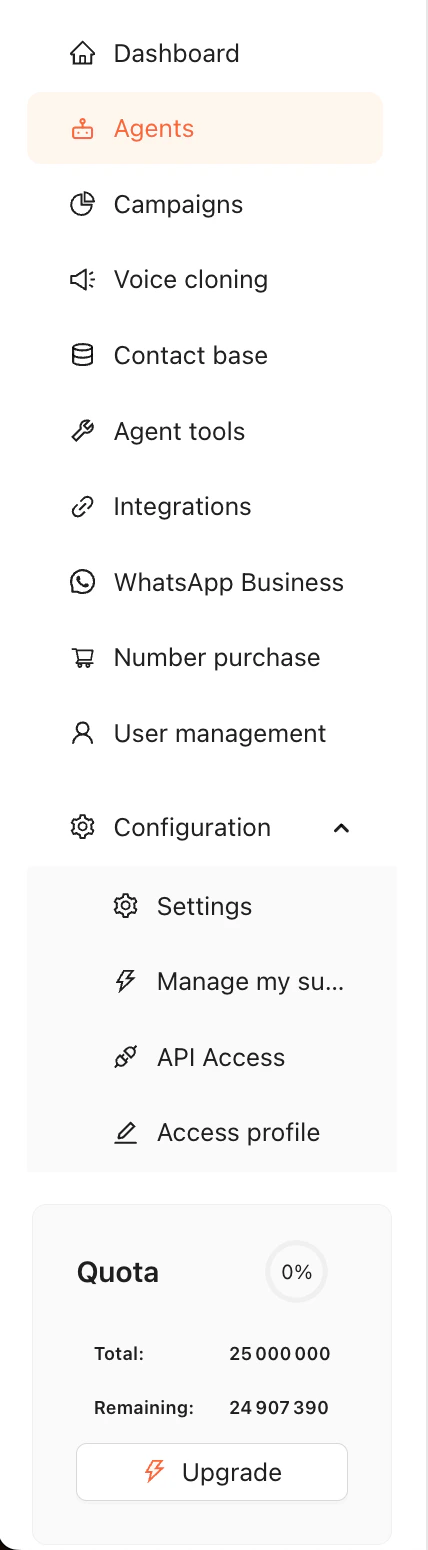 Copy the API key displayed on the page. You'll need it for every request.
## Using your API key
Include the `X-Api-Key` header in every request:
```bash cURL theme={null}
curl -X GET https://api.starleads.co/Campaign \
-H "X-Api-Key: YOUR_API_KEY"
```
```python Python theme={null}
import requests
response = requests.get(
"https://api.starleads.co/Campaign",
headers={"X-Api-Key": "YOUR_API_KEY"}
)
```
```javascript JavaScript theme={null}
const response = await fetch("https://api.starleads.co/Campaign", {
headers: { "X-Api-Key": "YOUR_API_KEY" }
});
```
You're all set! Head over to the [API Reference](/api-reference) to explore the available endpoints.
Copy the API key displayed on the page. You'll need it for every request.
## Using your API key
Include the `X-Api-Key` header in every request:
```bash cURL theme={null}
curl -X GET https://api.starleads.co/Campaign \
-H "X-Api-Key: YOUR_API_KEY"
```
```python Python theme={null}
import requests
response = requests.get(
"https://api.starleads.co/Campaign",
headers={"X-Api-Key": "YOUR_API_KEY"}
)
```
```javascript JavaScript theme={null}
const response = await fetch("https://api.starleads.co/Campaign", {
headers: { "X-Api-Key": "YOUR_API_KEY" }
});
```
You're all set! Head over to the [API Reference](/api-reference) to explore the available endpoints.